TRAC FMAP platform

Process Database Manager. Design recipes, run batches and prove quality in one desktop application for GMP production.

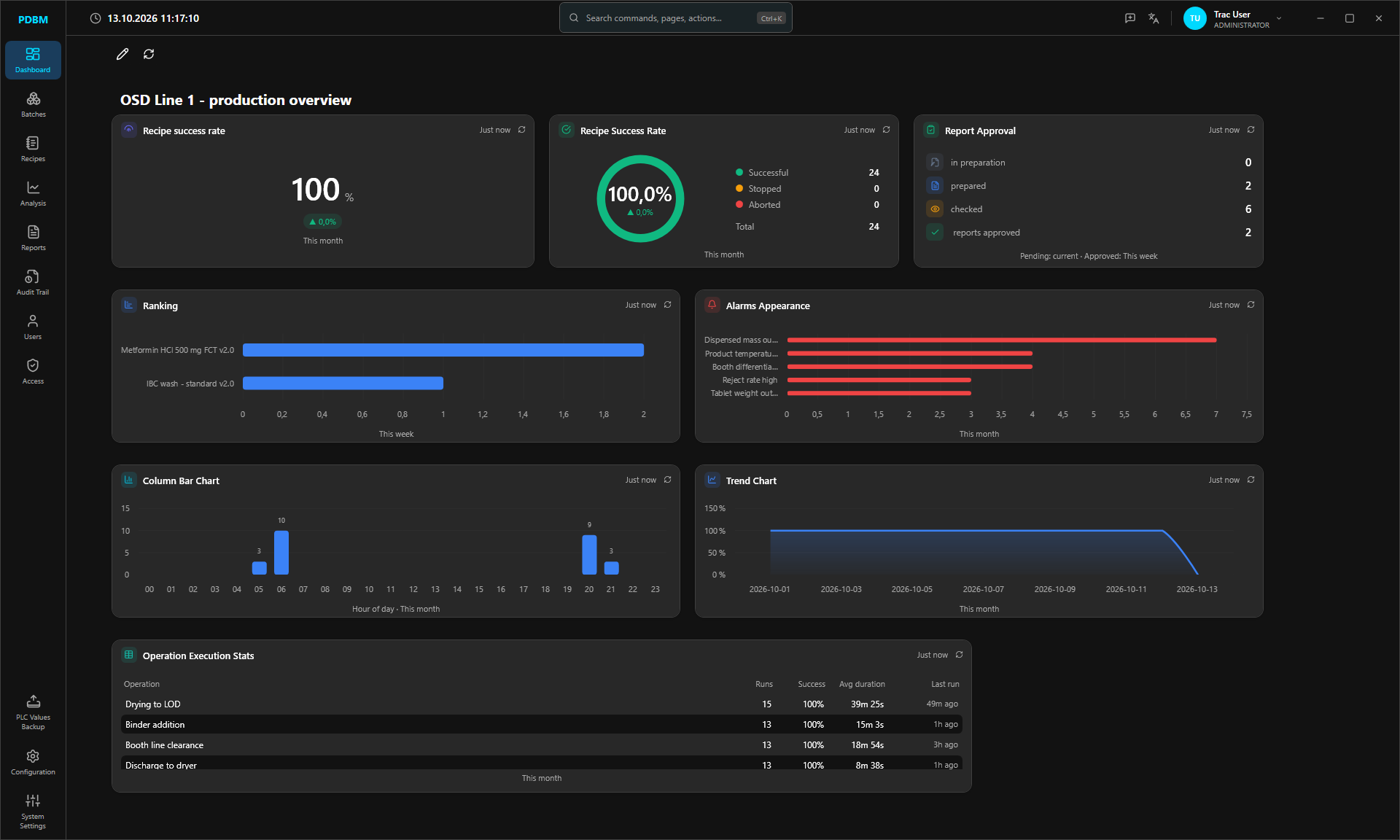
PDBM dashboard in the dark theme: recipe success rate, report approval, alarm ranking and operation statistics for OSD Line 1

One dashboard for your process data.

Configure the plant. Design the recipe. Plan the batch. Review the report. Every step signed. Every change on record.

GMP-ready Audit trail, electronic signatures and a review workflow for recipes and reports.
No code Units, operations, alarms and report templates configured per project.
ISA-88 recipes Drawn as Sequential Function Charts, versioned and lockable.
Connected PLC over OPC UA, historian, SDMS printing and Active Directory.

Recipes you
can read.

  1. Built from your plant

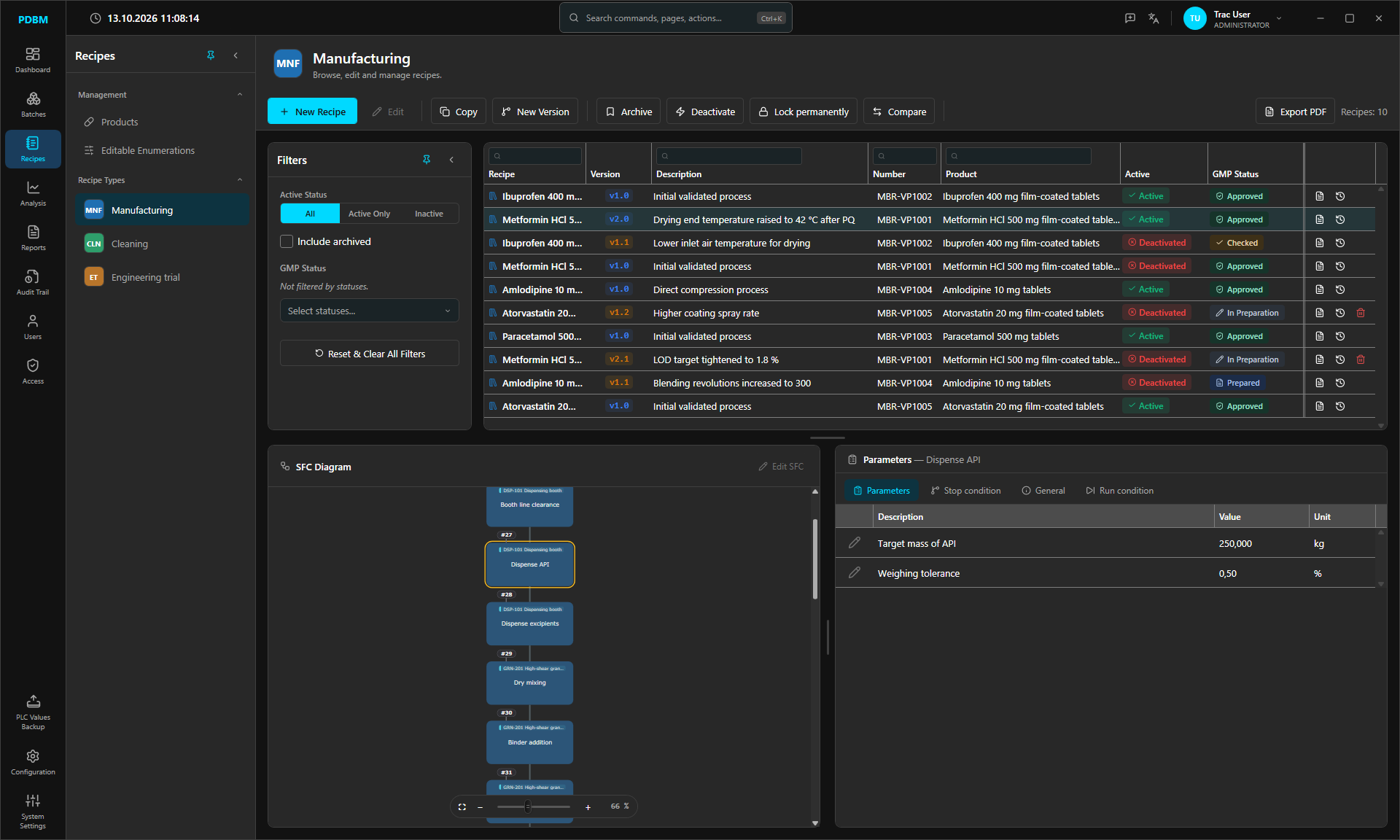
    Recipes are grouped by recipe type, linked to products and composed from the operations and parameters configured for your line.

    Recipe typesProductsCopyCompare
  2. A full GMP lifecycle

    Every version moves from In preparation to Prepared, Checked and Approved. Each transition is made by a different user, and approval raises the major version.

    v1.0 to v2.0E-signaturesLock permanently
  3. Process logic as an SFC

    Draw the recipe as a Sequential Function Chart: operations, actions, wait conditions, operator messages, loops, parallel branches and sub-recipes.

    ISA-88 termsDrag and dropTouch and pinch zoom
  4. Limits on every step

    Each step carries its parameters with min and max overrides, a Critical flag, stop conditions and run conditions that can make a step skippable.

    ParametersStop conditionRun condition
PDBM Recipes module: recipe versions with GMP status, the SFC diagram of a manufacturing recipe and the parameters of the Dispense API step

From plant model
to proven batch.

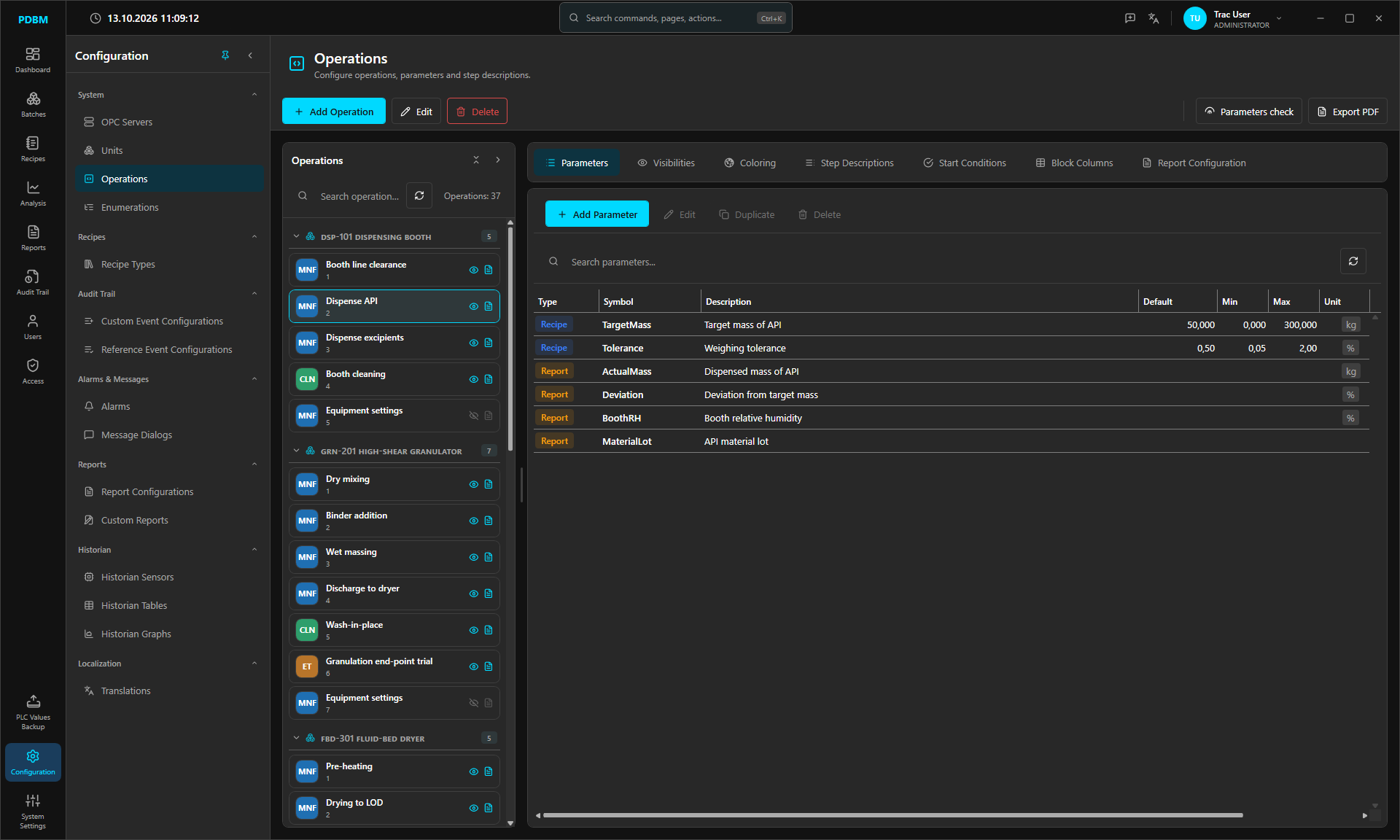
Operations configuration with parameters per unit
01

Describe the plant once

OPC servers, units, operations, parameters, alarms and historian sensors are configured in PDBM, not programmed.
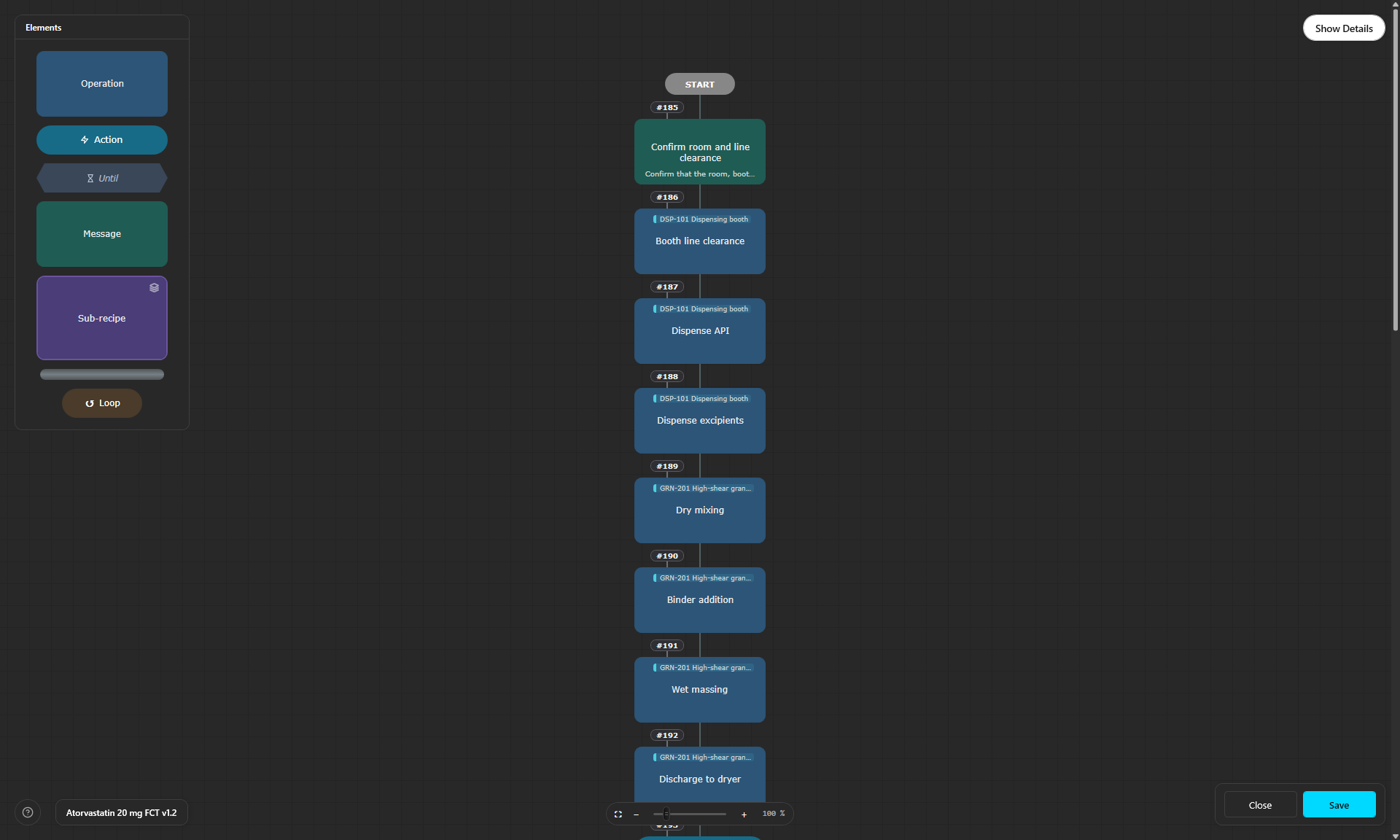
SFC editor with the element palette and a manufacturing recipe
02

Draw the recipe

Compose the process in the SFC editor, then send each version through review and approval.
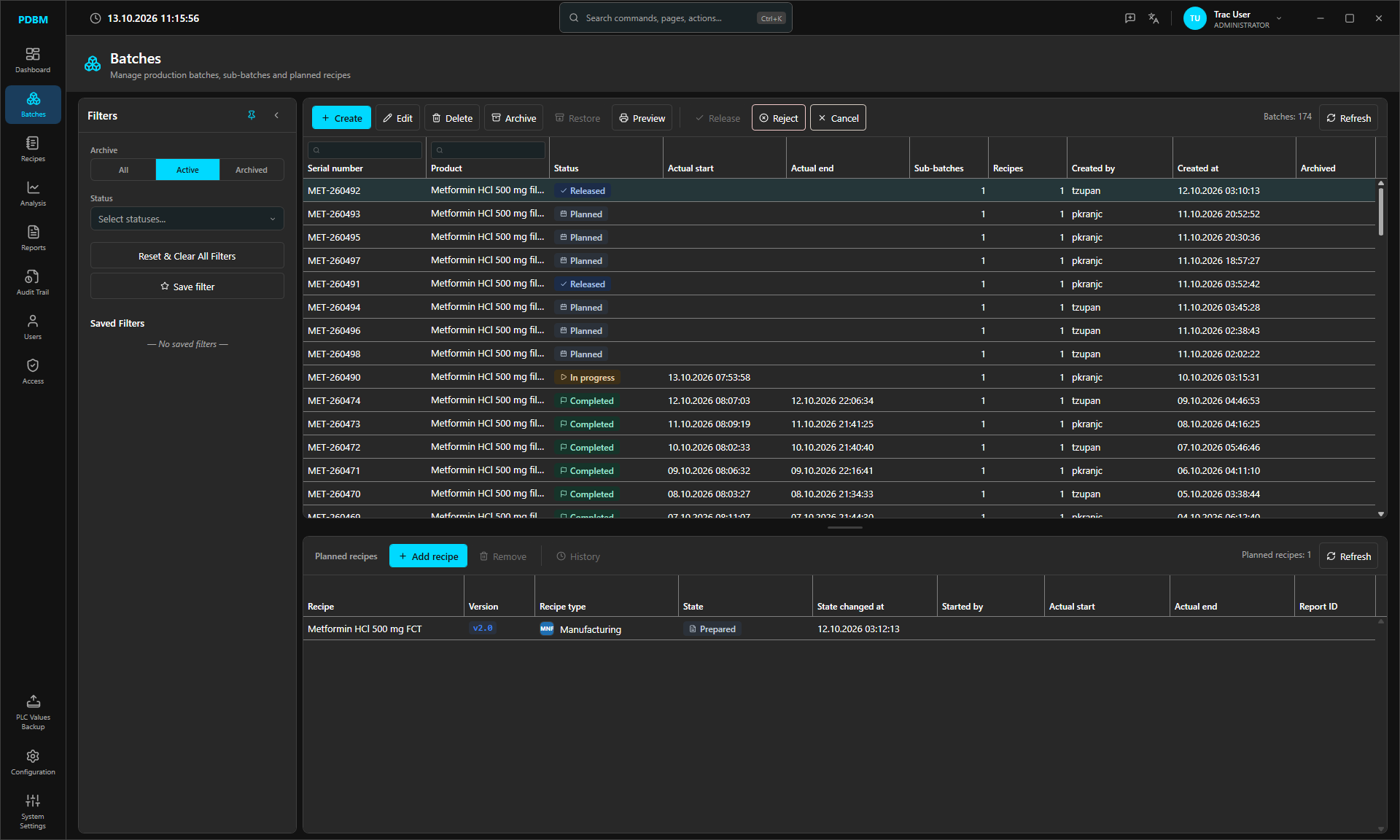
Batches list with planned, released, in progress and completed batches
03

Plan the batch

Batches carry sub-batches and the recipe versions planned for them. Planned, Released, In progress, Completed, with automatic roll-up.
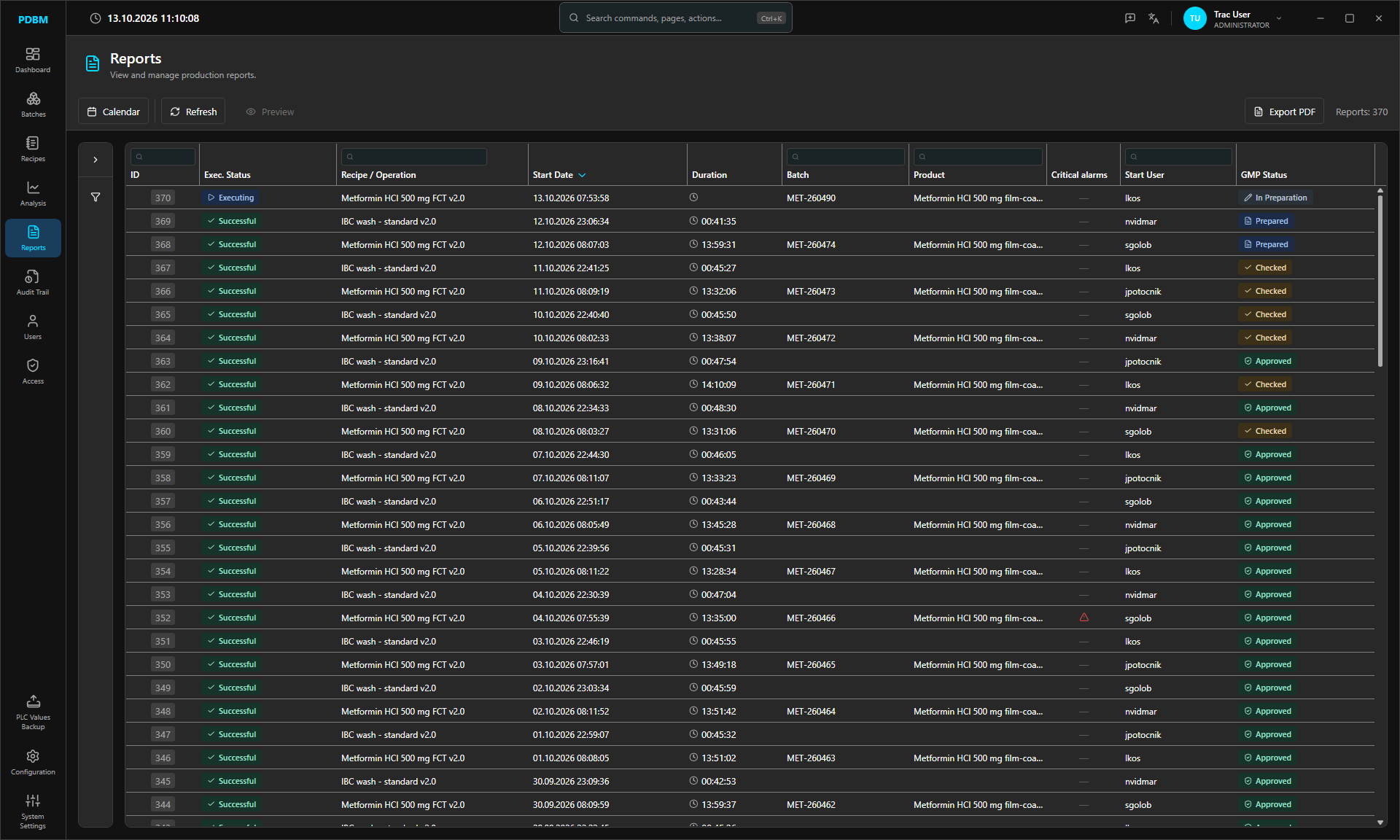
Reports list with an executing run at the top
04

Run it on the line

PEM operator stations execute the recipe over OPC UA. Status, alarms and events flow back into the report while it runs.
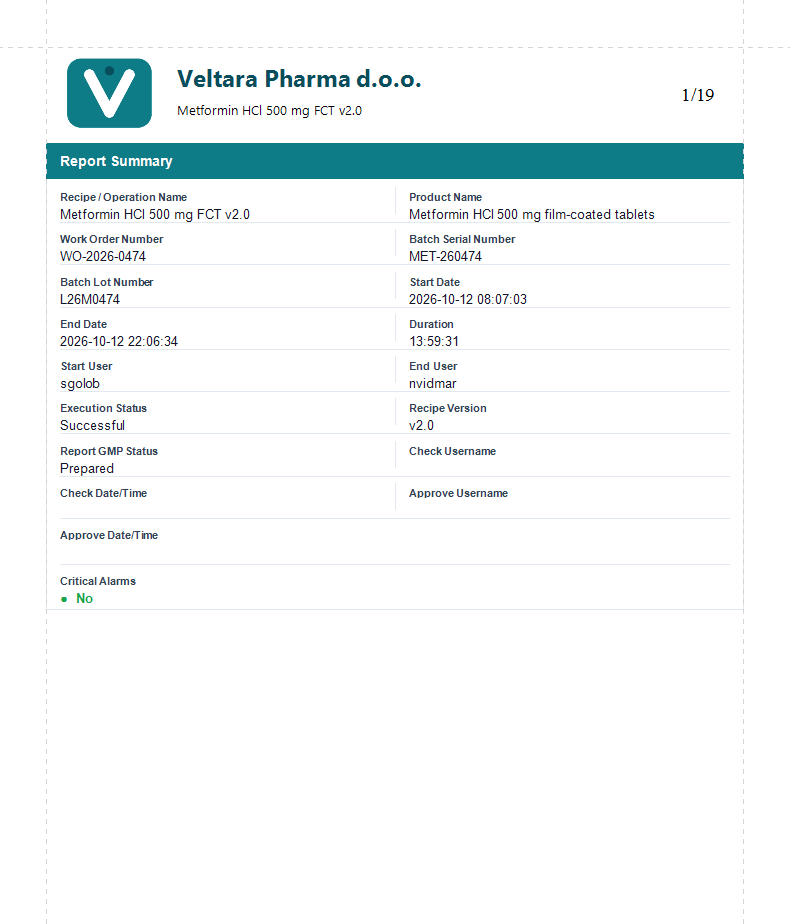
First page of a batch report: report summary with recipe, batch, timing and GMP status
05

Prove every batch

The batch report is generated from the recorded run, then checked and approved with electronic signatures.

Your line
at a glance.

A dashboard you arrange once for the whole site, and historian analysis that goes as deep as you need.

Historian analysis

Trend any sensor with one axis per engineering unit. Switch to live mode, save graphs and export to CSV or PDF.
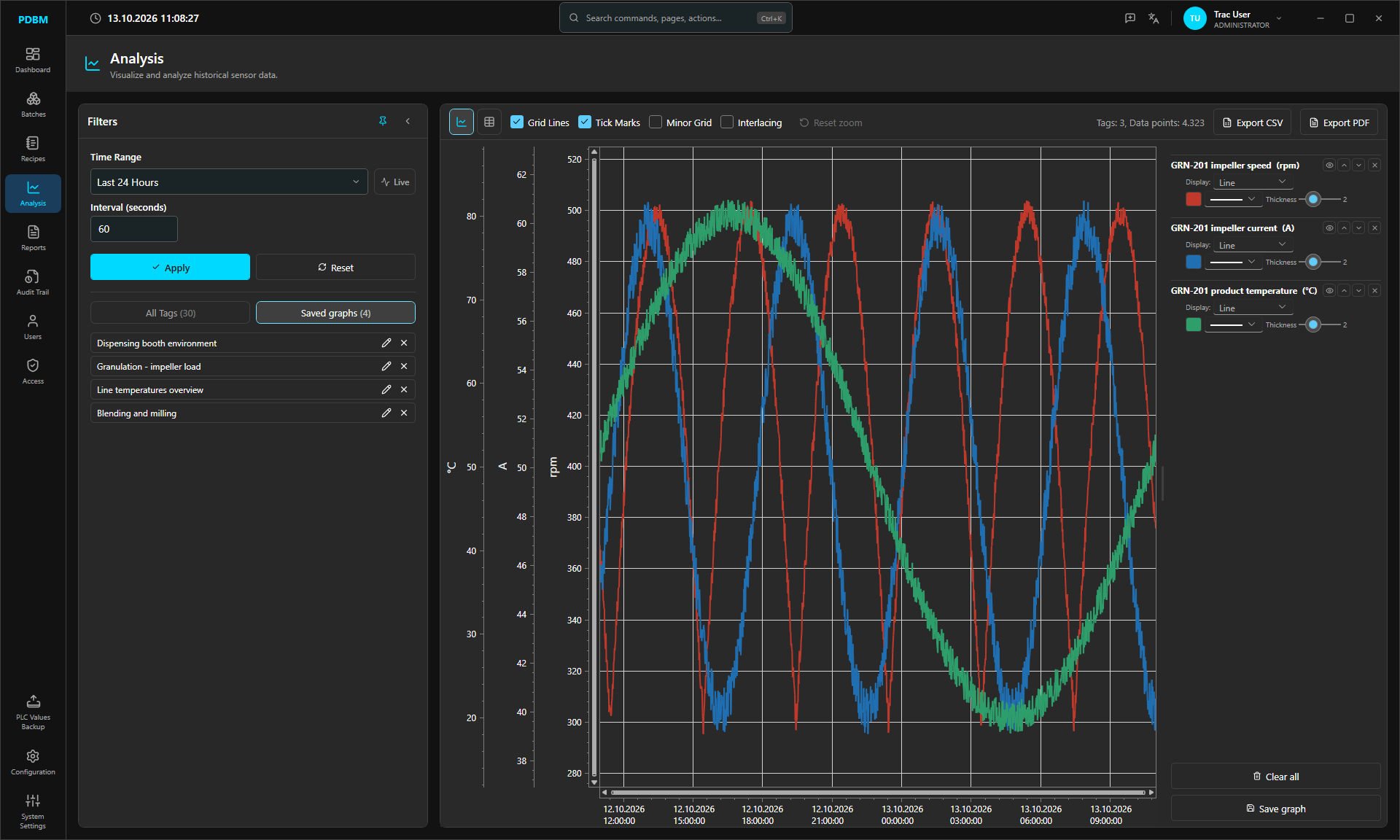
Analysis module with three historian trends on separate axes

Recipe success rate

Successful, stopped and aborted runs.
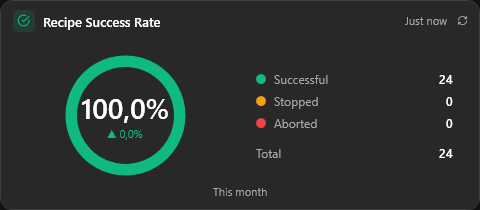
Recipe success rate card showing 100 percent

Report approval

What waits to be checked or approved.
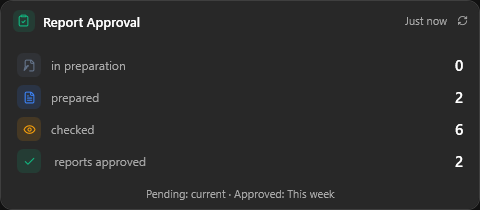
Report approval card with counts per GMP status

Alarm hot spots

Which alarms fire most, for the period you choose.
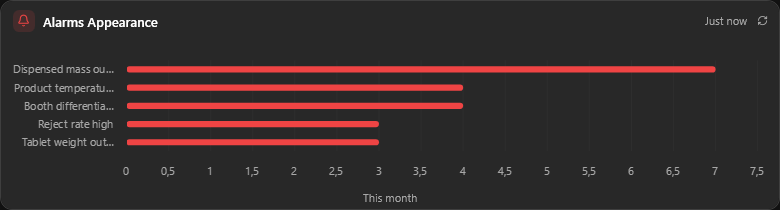
Alarms appearance chart

Search everything

Find any page, record or action from one search box. No menus to dig through.
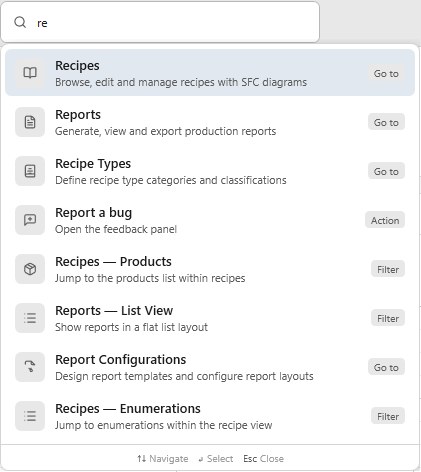
Search with results for recipes and reports

Operation statistics

Runs, success rate and average duration for every operation on the line.

Operation execution statistics table

Batch records that write themselves.

  1. 01
    Report summaryRecipe, product, batch, work order, timing, users and GMP status on page one.
  2. 02
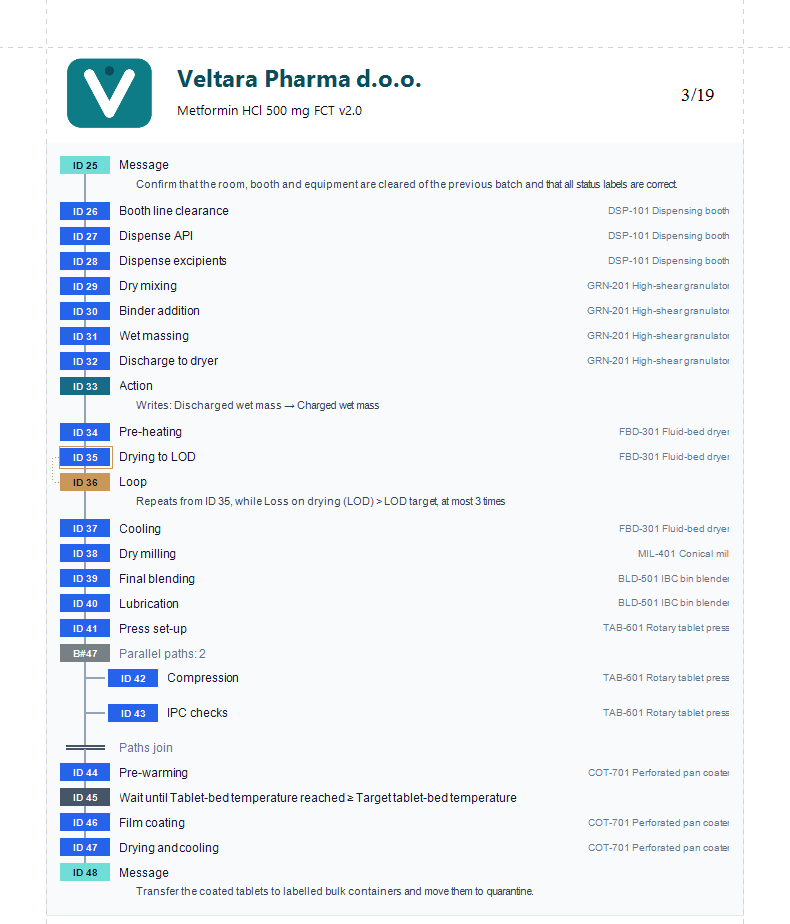
    Recipe structureEvery step as it ran, with units, actions, loops and parallel paths.
  3. 03
    Template designer, no codeDrag in blocks, from parameters and audit trail to data graphs and sensor statistics.
  4. 04
    Sign, export, printChecked and approved with e-signatures. Export to PDF, Word or Excel, or let the server print to SDMS automatically.
Batch report page 3: recipe structure with operations, actions, a loop and parallel paths
Batch report page 1: report summary

Every change
on the record.

Designed for GMP-regulated production, and built to support 21 CFR Part 11, EU GMP Annex 11 and the ALCOA+ principles of data integrity.

Audit trail

Who, what, when and why.

A read-only record of every event: logins, recipe and batch changes, PLC messages and alarms, each with server timestamp, source, user and signatures. Every system setting change gets its own entry.
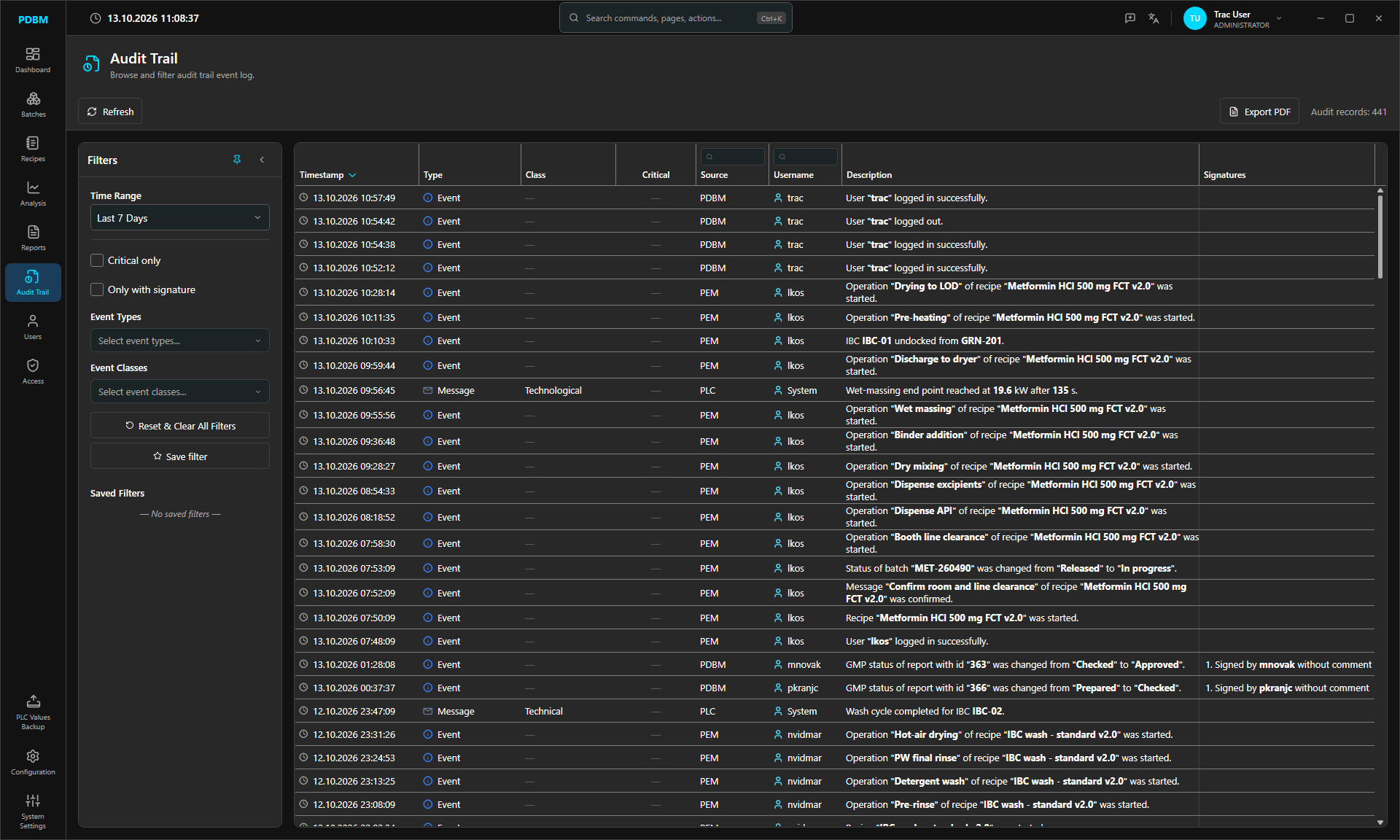
  • Server timestamps
  • Saved filters
  • PDF export
Audit trail with PDBM, PEM and PLC events and signatures
Electronic signatures

Four eyes, signed electronically.

Every protected step asks for an electronic signature. The signer re-enters their credentials, a second signer must be a different user, and a comment can be made mandatory. Signatures are stored with the record and cannot be changed.


  • Credentials re-entered
  • Different second signer
  • Mandatory comment
Each GMP step asks for its own signature
Access rights Recipes GMP Prepare, Check and Approve, linked to the process engineering, production supervisor and QA release signatures
Signed records in the audit trail
Audit trail entries for report GMP status changes, each signed by a different user
Signatures assigned per user group
Electronic signatures assigned to quality assurance, production supervisors and process engineering
Access control

Exactly the right people.

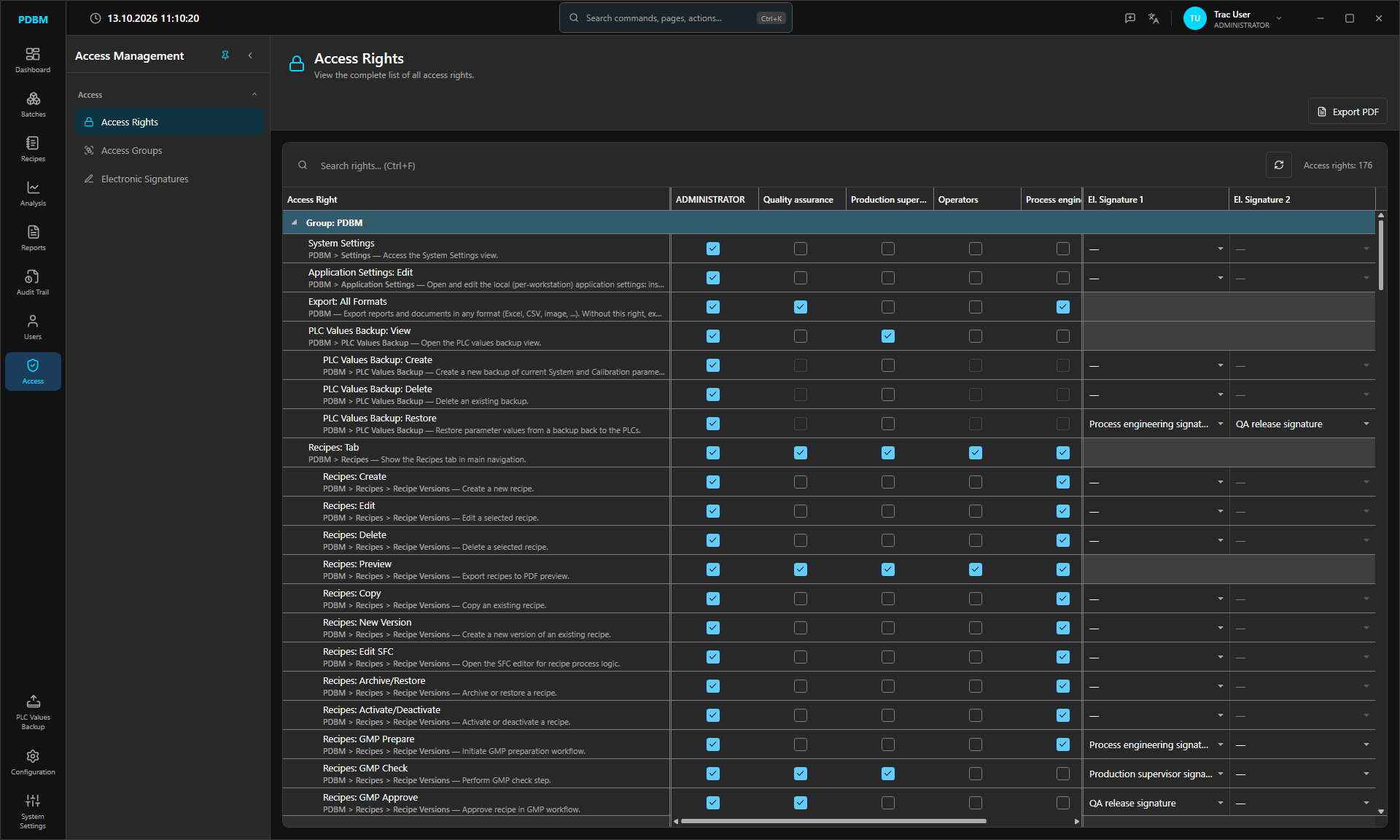
Granular rights per user group, with dependent rights gated automatically and electronic signatures linked to the rights that need them. Domain login with group mapping, password policy, lockout and automatic log-off.
  • Active Directory
  • Password policy
  • Auto log-off
Access rights matrix per user group with linked electronic signatures

Configured,
not programmed.

Everything that describes your plant lives in PDBM's configuration screens. Set it up per project, then export and import it.
OPC servers Units Operations Enumerations Recipe types Event configurations Alarms Message dialogs
Report configurations Custom reports Historian sensors Historian tables Historian graphs Translations
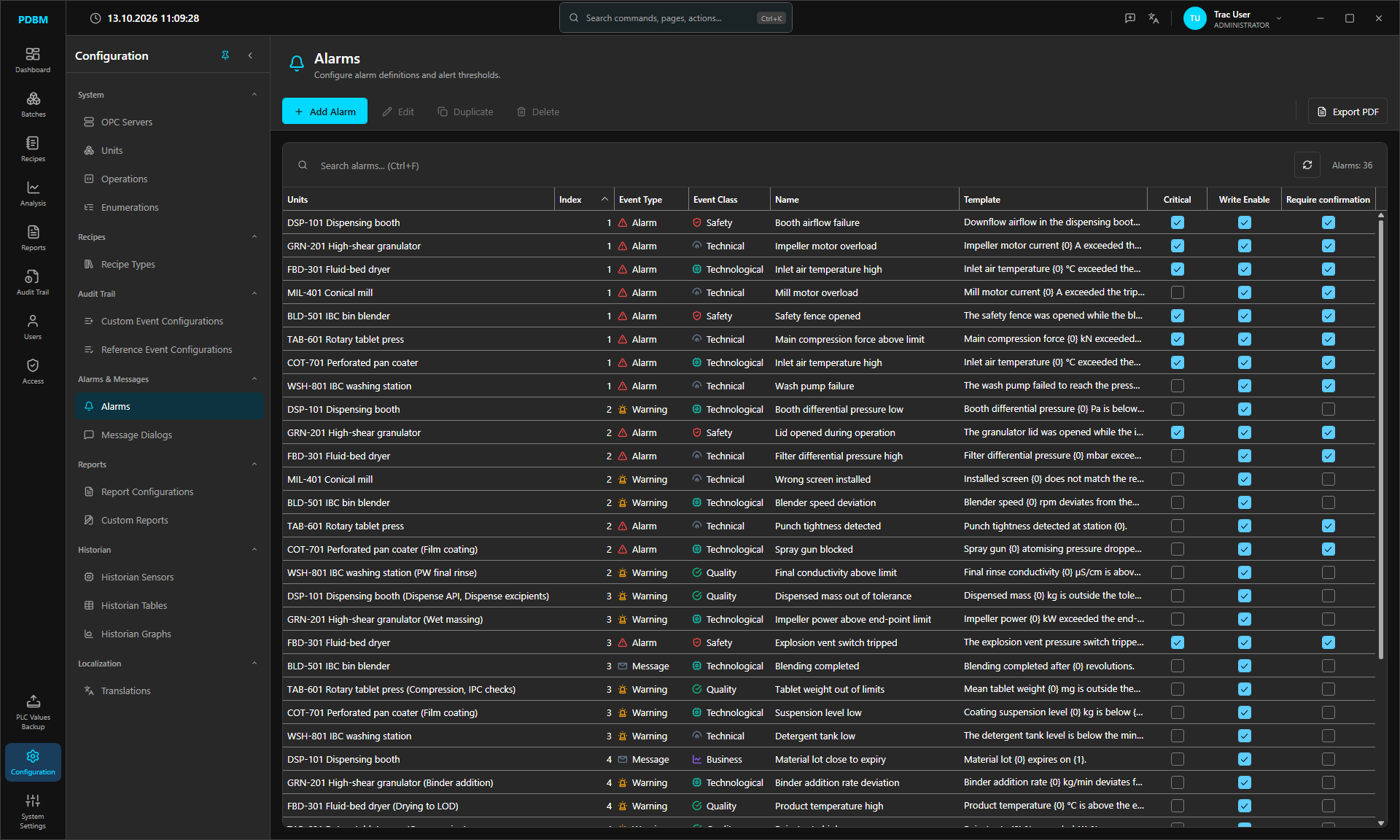
Alarm configuration per unit with event type, class and critical, write-enable and confirmation flags
Units and operationsParameters, step descriptions, start conditions, and visibility and colour per operation.
Alarms and messagesAlarms, warnings and messages per unit, flagged critical or requiring confirmation.
Import and exportUnit configuration as JSON, translations through Excel.

Speaks your
operators' language.

Switch the interface language at runtime, without a restart. Your own configuration data is translated per site.

Available in English, Slovenščina, Deutsch, Français, Italiano, Español, Русский, Polski, Hrvatski, Ελληνικά and Nederlands.

Dark for the
night shift.

A dark theme that every screen, chart and dialog follows. Easier on the eyes through a long shift.
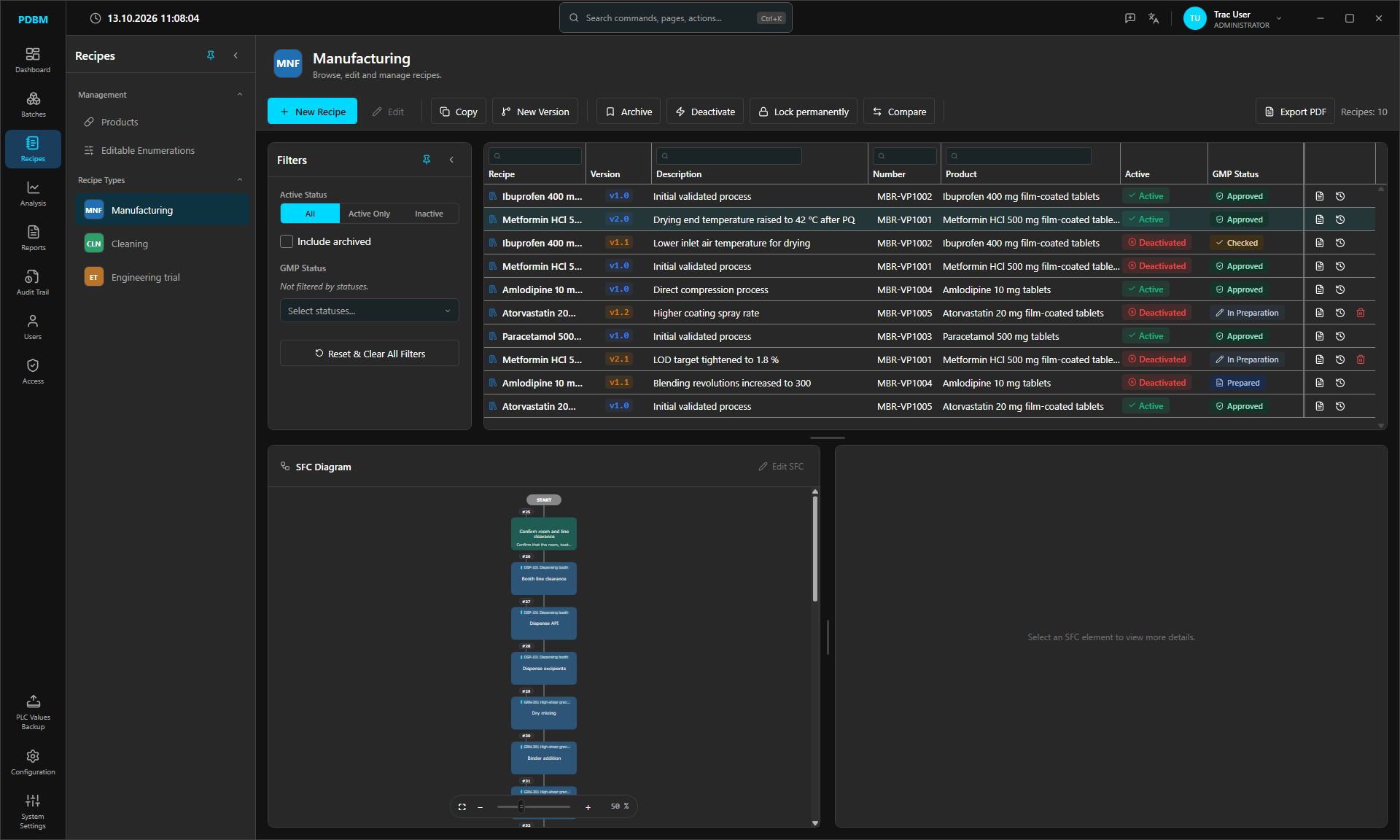
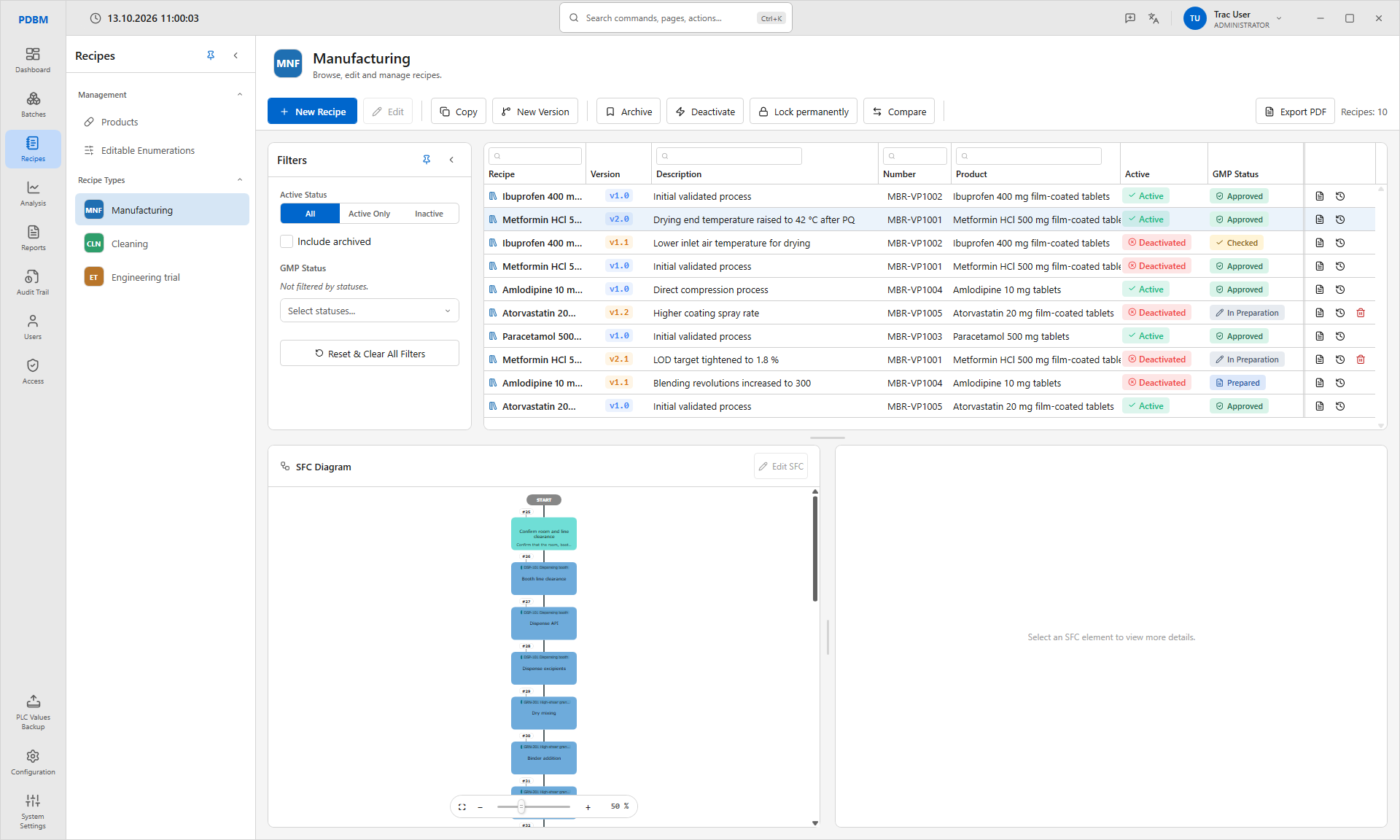
Recipes module in the dark theme Recipes module in the light theme

Part of the
FMAP platform.

FMAP is the Flexible Modular Automation Platform by TRAC, and PDBM is its planning and administration desktop. PDBM talks only to the FMAP Web API, which owns the database, the historian and the link to your PLCs.

PEMThe Process Execution Manager. Its engine and touch stations run recipes on the line.
DTS_ERESLinks a PLC to the API for logins, e-signatures and alarms.
Working WindowA parameter window your SCADA opens for one unit and one operation.
Under the hood.NET 10 and WPF on Windows 10 or 11. SQL Server 2019 or later.
PLC over OPC UA
SQL Server and Historian
FMAP Web API

See it in motion.

A guided tour through PDBM with voice-over, in under two minutes.